A GIF worth sending.
Clean embeds with an anime GIF, an interaction title, and the running count.
 rimuru.v3.1
Add to Discord
rimuru.v3.1
Add to Discord
Turn everyday chat into your favorite anime moment. Hugs, friendly chaos, and a little more connection.
THE FRIEND WHO ALWAYS HUGS BACK.Connecting to the bot…
View statusOne command, a perfect GIF, and a reason to keep the conversation going. Here's what lands in chat.
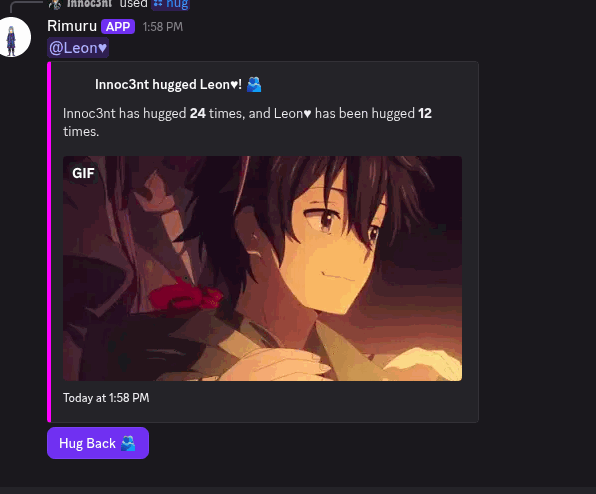
Clean embeds with an anime GIF, an interaction title, and the running count.
Hugs given, bites received. Per-user stats remember who did what to whom.
Hug Back. Bite Back. Return the favor with a button, right inside Discord.
From a friendly wave to full anime drama.
There's a command for that.
Wrap a friend in an anime hug. Counts hugs given and received.
Send a soft kiss interaction to someone in chat.
Boop a nose. Low stakes, high chaos.
A shy reaction. No target needed, just a little pink.
A playful bite, with a Bite Back button for revenge.
Say hello or goodbye with a clean anime GIF.
For the unserious servers. You know who you are.
A dramatic, fictional anime takedown. Purely for the bit.
Softer than a hug. Settle in with someone.
Get their attention. They can poke you right back.
Cry on someone for the drama. Includes Cry Back.
See how long Rimuru has been online. Same source as this site's live counter.
/cry joins the party with a Cry Back button.
/cuddle and /poke arrived in 3.0, with their own response buttons.
Tighter spacing and clearer interaction counts across every embed.
Bring a little Rimuru energy to your server.
Add Rimuru to DiscordOpen Discord's authorization screen.
You'll need the Manage Server permission.
Run /hug and make someone's day.